
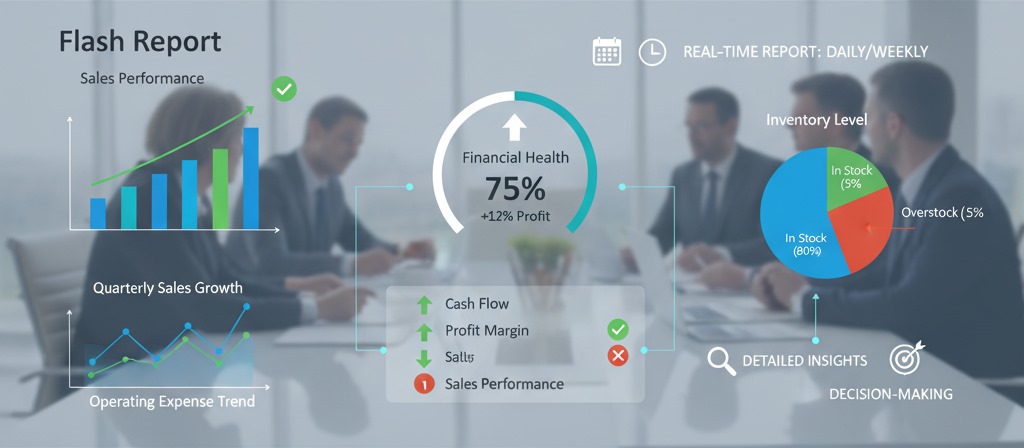
In the fast-paced business world, having access to real-time data is crucial for making informed decisions. It is where flash reports come in. A flash report is a quick snapshot of a business’s key metrics and performance indicators. It provides decision-makers with the most critical data in a concise, digestible format. The goal of a flash report is to provide an efficient overview of a company’s health, allowing executives and managers to make real-time decisions. In this article, we’ll dive into what flash reports are, how to create them effectively, and the various types that businesses can leverage for better performance tracking.
Table of Contents
What is a Flash Report?
A flash report is a real-time, concise summary of a company’s key metrics and performance indicators. Unlike comprehensive reports that can take days or even weeks to compile, flash reports are typically generated daily or weekly, offering immediate insights into the financial and operational health of a business.
Purpose of a Flash Report
Flash reports are essential tools for monitoring the ongoing performance of a company. They typically include crucial business data such as sales performance, inventory levels, accounts receivable, and profit margins. These reports allow managers and executives to assess the current state of their business quickly and make necessary adjustments in real-time.
The goal is to streamline decision-making by providing a clear and quick view of the most critical metrics, without getting bogged down by unnecessary details.
Proforecast makes it easier to create flash reports with real-time data that can be customized to your specific business needs. Book a demo today and see how we can enhance your reporting process.
Who Receives a Flash Report?
Decision-makers mainly use flash reports within a company. The typical recipients include:
- Executives: CEOs, CFOs, and other senior leaders rely on flash reports to get a quick overview of the business’s performance, especially when they need to make swift decisions.
- Managers: Department managers (sales, finance, operations, etc.) use flash reports to monitor their team’s performance against set goals and KPIs.
- Stakeholders, including investors and shareholders, may also receive flash reports to stay updated on the company’s progress and financial performance.
Why Flash Reports Are Important to Decision Makers
Flash reports give leaders the power to make data-driven decisions on the fly. Whether it’s adjusting sales tactics, addressing inventory issues, or reviewing profit margins, these reports provide critical insights that enable companies to be agile and responsive.
How Flash Reports Are Used in Business
Quick Decision-Making
Flash reports help businesses make quick, informed decisions. For example, a sales manager can immediately see if their team’s performance is on track and, if not, take corrective actions without waiting for a monthly or quarterly report.
Tracking Key Performance Indicators (KPIs)
Flash reports are integral in tracking KPIs across various departments. For instance, finance teams can monitor cash flow, sales teams can assess performance against targets, and inventory managers can keep track of stock levels and reorder points. Tracking these KPIs in real-time allows businesses to stay proactive rather than reactive.
Financial Health Monitoring
A financial flash report can be used to track metrics like profit margins, cash flow, revenue, and expenses. It enables businesses to identify and address any financial issues early, before they escalate.
Operational Efficiency
For companies with complex operations, a flash report can provide insights into operational performance. From production bottlenecks to supply chain issues, a flash report can quickly highlight areas that need attention.
Stakeholder Communication
For public companies or those with external investors, flash reports are a powerful way to keep stakeholders informed. These reports ensure that everyone is aligned with the company’s current performance, helping maintain trust and transparency.
Types of Flash Reports
Flash reports vary depending on the business needs. Here are some common types of flash reports that companies use to track different aspects of their operations:
General Ledger Flash Report
A general ledger flash report provides a summary of financial performance, including expenses, revenue, and profit. This report enables businesses to maintain an up-to-date view of their financial health, allowing them to address any discrepancies or unexpected financial issues promptly.
Sales Flash Report
A sales flash report tracks the performance of sales teams, comparing actual sales to targets or historical performance. This report enables managers to assess the effectiveness of their sales efforts and identify areas where adjustments are necessary. It can also highlight underperforming regions or products.
Inventory Flash Report
An inventory flash report provides a snapshot of stock levels, helping businesses monitor how much inventory is on hand, what’s in transit, and what needs to be restocked. This type of report is crucial for supply chain management, as it helps prevent stockouts or overstocking, thereby ensuring optimal inventory levels.
Accounts Receivable Flash Report
For companies managing customer payments, an accounts receivable flash report highlights outstanding invoices, overdue payments, and collections performance. It helps businesses keep track of cash flow and take proactive measures to address overdue accounts.
Manufacturing Flash Report (PMI)
A manufacturing flash report is used to track production levels, operational status, and any challenges in the manufacturing process. It provides managers with insights into production bottlenecks, worker productivity, and other operational factors that may need attention.
How to Prepare a Flash Report
Creating a flash report that is both effective and easy to understand requires careful planning and execution. Here’s how you can prepare one effectively:
1. Identify Key Metrics
The first step in creating a flash report is identifying the key metrics that need to be tracked. These metrics will vary depending on your industry, but typically, businesses will want to include financial, sales, and operational data.
For example, your flash report might include:
- Sales Performance: Daily or weekly sales numbers compared to targets.
- Profitability: Metrics such as gross margin, operating profit, and net income.
- Inventory Levels: Tracking critical inventory items and reorder points.
2. Gather Data
Once you know which metrics to track, you’ll need to gather the relevant data. This data may originate from various sources, including accounting software (such as QuickBooks or Xero), ERP systems, or manually entered data. It’s essential to ensure that the data is up-to-date, accurate, and consistent.
3. Keep It Concise
A flash report is meant to provide a quick snapshot, so it should be brief and to the point. Avoid overloading the report with unnecessary details. Focus on the most critical data points that will help decision-makers take action quickly.
4. Visual Representation
To make the data more digestible, use charts, graphs, and tables. Visuals help to quickly convey complex information, making it easier for managers to grasp trends and issues at a glance.
5. Ensure Data Integrity
The accuracy of the data in your flash report is paramount. Ensure that all figures are double-checked and that the data comes from reliable sources. Incorrect or outdated data can lead to poor decisions and financial errors.
With Proforecast, you can automate data collection and ensure accurate reporting. Book a demo to see how we can help streamline your report preparation
Common Mistakes in Flash Reports
Even the best flash reports can fall short if not adequately prepared. Here are some common mistakes to watch out for:
Inaccurate or Missing Data
Missing or inaccurate data can render a flash report useless. Double-check all figures to ensure their accuracy and make sure no key metrics are left out.
Delays in Reporting
If your flash report isn’t delivered on time, it loses its value. Flash reports should be generated and shared in real-time or near-real-time to provide actionable insights.
Overly Complicated Visuals
While charts and graphs are helpful, overly complicated visuals can confuse readers. Keep your visuals intuitive and straightforward, focusing on clarity rather than design.
Failure to Tailor Reports to Audience
A flash report should be customised for its audience. Senior executives may need a high-level overview, while department managers may require more detailed data. Tailor your report to the needs of the specific recipients.
Tips for Creating Reliable Flash Reports
Here are a few tips to help you create reliable flash reports that provide actual value to your organisation:
1. Keep It Under One Hour
A flash report should be quick to create. If it takes more than an hour to prepare, you’re likely overcomplicating the process. Use automation tools to gather and process data faster.
2. Focus on Clear and Simple Visuals
Simplicity is key. Use clear charts and graphs that make the data easy to understand at a glance. The goal is to provide information quickly, not overwhelm your audience.
3. Personalise Without Losing Consistency
Tailor your flash report to the audience’s needs, but maintain a consistent structure. Having a standardised format ensures that reports are easy to read, no matter who receives them.
Qualities of a Strong Flash Report
A strong flash report should have the following qualities:
- Clarity: The report should be easy to understand without requiring a lot of explanation.
- Relevance: It should only include the most critical and relevant data for decision-making.
- Accuracy: Data should be correct and reliable to avoid making decisions based on false information.
- Timeliness: Flash reports should be generated quickly and shared without delay.
- Actionable Insights: The report should highlight issues that require immediate attention, enabling decision-makers to take prompt action.
Key Metrics to Include in Your Flash Reports
A solid flash report should track the key metrics that are most important to your business. These may include:
- Financial Metrics: Profit margins, cash flow, revenue.
- Sales Metrics: Sales performance, conversion rates, average deal size.
- Operational Metrics: Inventory levels, production progress, order fulfilment.
- Performance Metrics: KPI progress, goal achievement, project milestones.
Benefits of Using Flash Reports
There are several benefits to using flash reports in your business:
- Quick Decision-Making: Enables leaders to make informed decisions on the spot.
- Increased Efficiency: Reduces time spent gathering and analysing data.
- Enhanced Collaboration: Keeps teams aligned with real-time data and insights.
Conclusion
In conclusion, flash reports are powerful tools that provide quick, actionable insights into a company’s performance. By focusing on key metrics and delivering timely, accurate information, flash reports enable businesses to make real-time decisions and stay agile in a rapidly changing business environment. Whether you’re tracking sales, inventory, or financial health, creating effective flash reports will help you maintain control over your company’s performance and drive better results.